
If you can't sign in to your account, you're in the right place. This page lists every way you can get back in — pick the option that best matches what you remember.
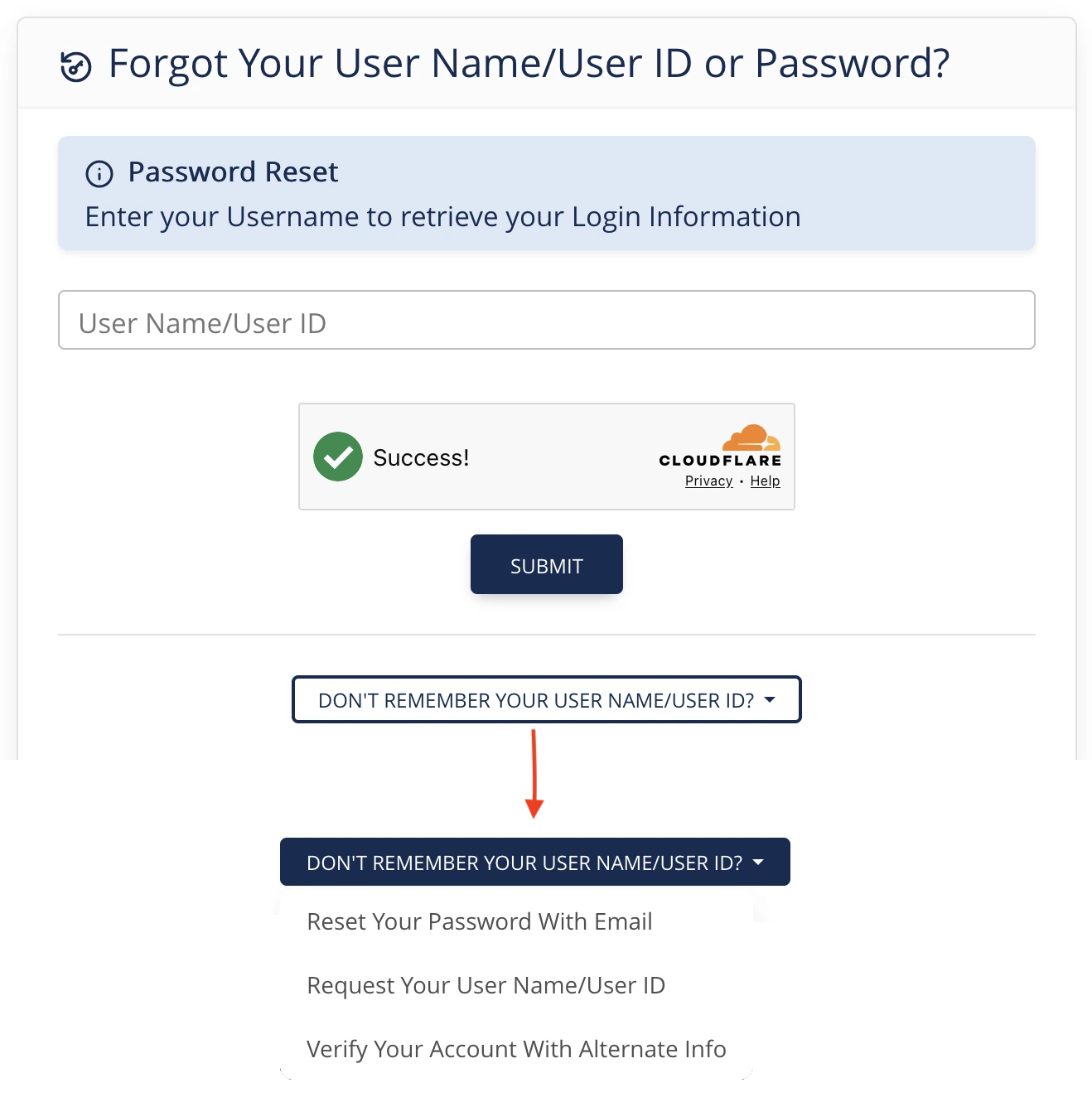
What can you remember?
- I know my username. Use this if you remember the username you sign in with. Reset your password using your username →
- I know the email address on my account. The system can email a password reset link to that address. Reset your password using your email address →
- I forgot my username (but I have my email). The system can email your username to you. Find your username →
- I don't have my username OR my email handy. If you know your name and date of birth, the system can find your account that way. Verify your account with your name and date of birth →
Before you start
- Make sure you have access to the email address that's on your account. Most recovery options end with the system emailing you a link.
- Check your spam or junk folder if the email doesn't arrive within a few minutes.
- Your new password must be at least 8 characters.
Where to find these options
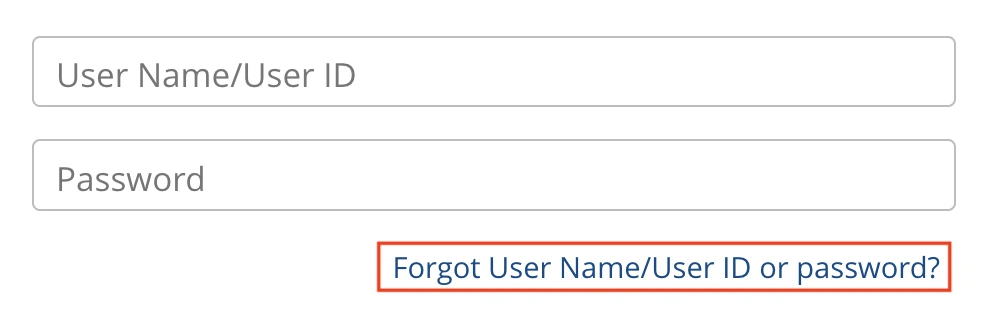
- Go to the sign-in page for your sport.
- Below the Sign In button, click Forgot user name or password?
- You'll land on the Forgot Your User Name or Password? page, where the four recovery methods are available.
Still stuck?
If none of these methods work for you — for example, the email on your account is no longer one you can access — please contact your national office for help. They can verify your identity and update the email on your account so you can recover it yourself in the future.